
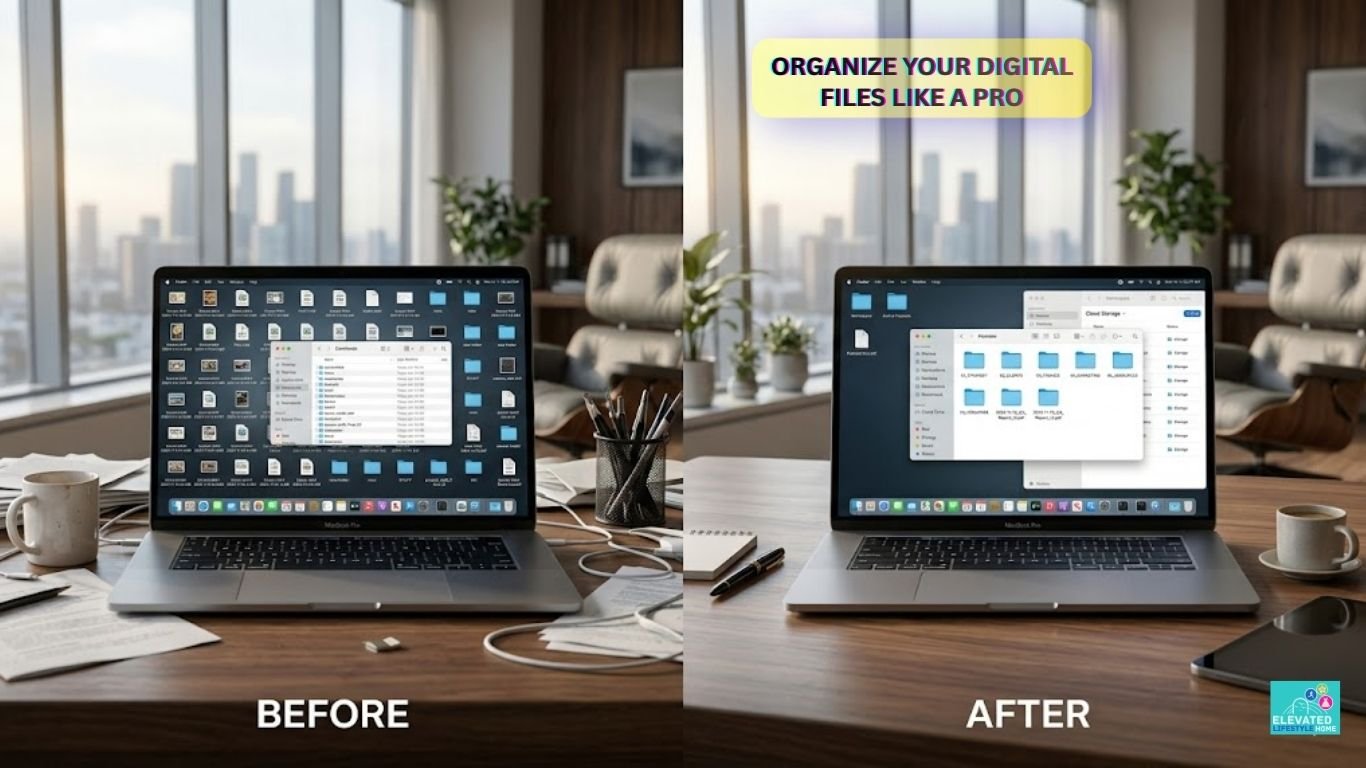
The modern workspace is no longer defined by physical walls, but by digital boundaries. Yet, for many high achievers, entering their desktop feels less like walking into a pristine executive suite and more like stepping into a cluttered storage room.
Digital chaos is a silent performance killer. It creates micro-frictions that drain your focus before your deep work even begins.
Knowing how to organize digital files efficiently is not merely a technical housekeeping chore; it is a foundational practice for sustained executive performance. True cognitive freedom begins with an intentional, minimalist information architecture.
The Hidden Tax of Digital Friction: Why Clutter Destroys Performance

Every unorganized asset on your desktop demands a fraction of your attention. Neuroscientists at the Princeton Neuroscience Institute have found that visual clutter competes for your brain’s processing capacity, directly degrading your focus and working memory.
When your virtual workspace is a chaotic sea of unnamed PDFs and stray screenshots, your brain constantly expends energy filtering out background noise.
This subtle, continuous exhaustion erodes your decision-making capacity long before midday. True efficiency isn’t about working faster; it is about eliminating the friction that slows you down.
A messy drive forces you to hunt for documents, breaking your creative flow and inducing unnecessary micro-stress. For professionals operating at their peak, a clean file directory is the physical equivalent of a clear mind.
The Architecture of Order: How to Build a Digital Filing System from Scratch

Building a sustainable workspace requires moving away from reactive saving and adopting an intentional digital filing system that gives every document a clear, permanent home.
Think of your digital environment as a premium architectural layout: everything must have a dedicated, intuitive space to achieve absolute cloud storage optimization.
Choosing Your Cloud Ecosystem Platform
Your choice of platform dictates your daily workflow velocity. Whether you rely on the seamless integration of Google Drive, the structured databases of Notion, or the enterprise-grade security of OneDrive, consistency is your ultimate metric.
Select a single ecosystem that aligns with your operational habits and commit to it fully. Mixing platform ecosystems creates data silos that fracture your tracking.
Designing the Master Directory Root
The root directory is the foundation of your entire document management strategy. Avoid creating twenty scattered folders on your main drive.
Instead, design a clean root layer containing a maximum of four macro-categories, such as Operations, Growth, Personal, and Archive. This minimalist entry point keeps your workspace feeling airy and instantly navigable upon opening.
Setting Non-Negotiable Naming Conventions
A folder system is only as good as its searchability architecture. Standardize your file naming conventions across every device using a clean, universal formula.
A framework like [YYYY-MM-DD]_[ProjectName]_[AssetType] ensures that even if a file is misplaced, a simple system search retrieves it in milliseconds. Eliminate spaces and vague titles like “Draft_Final_v2” to maximize finding what you need fast.
The Blueprint: How to Organize Digital Files Efficiently

To truly master your digital space, you must balance deep storage capacity with instant accessibility.
A flawless system allows you to locate any critical document within three clicks, removing the friction from your daily retrieval loops and achieving significant desktop clutter reduction.
The Golden Rules of Folder Depth
Over-categorization is a common trap that kills productivity. When you nest folders six layers deep, you build a digital maze that discourages proper filing and increases digital clutter stress.
Maintain a strict nested folder hierarchy with a maximum depth of three layers. If a category requires deeper nesting, it likely deserves its own distinct, high-level root directory.
Color-Coding and Visual Anchors
Human brains process visual cues significantly faster than text. Use subtle color-coding or minimalist icon styling on your primary folders to guide your eyes instantly to high-priority directories.
For instance, color-coding your active client folder can save precious seconds of visual searching every time you open your drive, keeping your digital workspace organization highly intuitive.
[QUICK TAKEAWAY]
An optimal digital directory operates like a premium physical kitchen.
The tools you use daily sit on the counter (Active Focus),
while specialized equipment is stored elegantly in deep cabinets (The Archive).
High-Velocity Execution: Best Digital File Management Workflow for Pros
Maintaining a pristine digital landscape cannot rely on sporadic bursts of deep cleaning. Elite productivity demands a repeatable sequence—a seamless workflow integrated into your existing daily habits.
Yesterday, while managing a large creative campaign from a sleek iPad Pro setup, my own cloud system almost buckled under a wave of incoming design proofs.
It was a stark reminder: even the most elegant systems fail without an intentional operational gatekeeper to manage sorting your files effectively.
The Daily Intake and Sifting Routine
Designate a specific, localized folder as your universal “Inbox.” Every downloaded image, contract, or reference file lands here first.
At the end of your workday, spend exactly four minutes sifting through this inbox, moving files to their permanent homes, or deleting them entirely. Never let files sit overnight on your desktop to prevent drops in cognitive load.
Weekly Alignment and Archival Gates
This simple review process forms the best digital file management workflow for pros because it prevents digital clutter from accumulating and keeps active projects immediately accessible.
Every Friday afternoon, perform a brief system alignment to ensure seamless data retrieval later. Review your active project folders, close out completed tasks, and move cold assets into your designated Archive directory.
This weekly reset ensures that when you open your laptop on Monday morning, you are greeted by an inspiring, clutter-free canvas ready for professional productivity workflows.
If you want to complement your newly organized digital drive with a physical workspace that inspires deep focus, explore our curated breakdown of minimalist workspace design essentials.
Frictionless Mastery: How to Automate File Organization for Better Focus

Systems perform best when they do not require constant human intervention. For high achievers striving for sustained executive performance, manual sorting is a low-leverage activity that drains cognitive bandwidth.
True automation removes the daily decision-making fatigue of where to store a document, converting file maintenance into a silent, background utility.
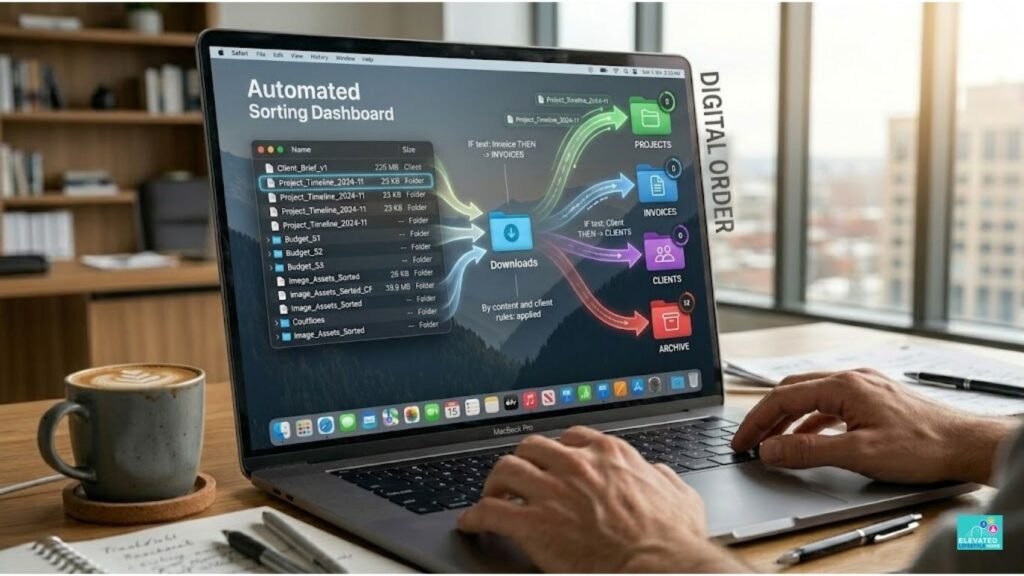
To bridge this gap, implement the Structural Flow Protocol™. This proprietary three-tiered automation loop systematically routes, filters, and indexes files without requiring ongoing manual effort.
- Tier 1: The Automated Intake Gate – Configure your local machine to automatically redirect all internet downloads to a centralized, temporary cache folder labeled
00_Intake. This isolates incoming noise from your pristine desktop interface. - Tier 2: The Logic-Based Router – Use system utilities to build rule-based sorting logic. If a document title contains keywords such as “Invoice,” “Receipt,” or a client’s name, the system instantly moves it from your intake cache to the corresponding Operations or Finance sub-folder.
- Tier 3: The Native Indexing Layer – Set up automatic cross-referencing markers using system tags. Files that require immediate attention are given a high-visibility visual flag, alerting you to their presence during your scheduled deep work blocks.
Collaborative Synergy: Structuring Project Folders for Teams
When multiple minds occupy a shared digital environment, unmanaged spaces degrade into chaos exponentially faster than personal drives.
A single team member using non-standard naming conventions can break the information retrieval efficiency of an entire organization. Designing shared directory logic requires setting rigid, clear boundaries that protect data integrity while enabling rapid execution.
Permissions, Access Tiers, and Shared Ownership
An optimized team drive operates on a strict principle of least privilege. Limit edit access at the root folder level to core project leads, granting viewing or commenting permissions to broader team tiers.
This structural separation prevents accidental folder deletions and limits the creation of unauthorized sub-folders.
The Centralized Single Source of Truth Framework
Eliminate the confusion of duplicate documents by enforcing a definitive “Single Source of Truth” approach.
Store all active collaborative assets exclusively within a centralized cloud directory, explicitly banning team members from saving localized copies on personal desktops or sending variations through chat applications. This keeps the primary file path clean and instantly accessible for automated cross-referencing.
[QUICK SUMMARY]
Team files must follow a predictable, top-down directory structure.
Restricted root edit permissions ensure that files are filed uniformly,
maintaining absolute system clarity across the entire organization.
The Seven Deadly Sins of Digital Assets: Common Mistakes to Avoid
Even the most sophisticated information architecture fails if foundational behavioral errors go uncorrected.
Recognizing exactly where your digital workspace organization stalls allows you to fix structural issues before they impact your daily productivity or cloud storage optimization.
The ‘Misc’ Folder Trap and Content Hoarding
Creating a folder named “Miscellaneous,” “Temp,” or “Random Stuff” is an open invitation for rapid digital clutter accumulation. Once a generic folder exists, your mind defaults to using it whenever categorization requires more than two seconds of thought.
This behavior compounds digital clutter stress and breaks your nested folder hierarchy. If an asset does not fit cleanly into your existing structural framework, create a distinct, permanent category for it or delete it immediately.
Desktop Overload and Local Storage Dependency
Treating your computer desktop as a primary storage drive creates an immediate, highly disruptive visual tax that increases cognitive load.
Relying heavily on local storage also isolates your data, preventing cross-device access and increasing the risk of data loss. Transition completely to a cloud-first infrastructure to ensure your files remain secure, organized, and available from any device.
Advanced Architectures: Next-Tier Strategies for Enterprise Scale
When your professional ecosystem expands, your file organization must evolve from basic sorting to a highly scalable data architecture. True information retrieval efficiency at an executive level requires systems that predict your workflow patterns.
Metadata Tagging Beyond Nested Folders
While folder paths are excellent for macro-categorization, advanced pros use metadata tagging to create multi-dimensional data access.
By attaching universal system tags—such as project status, priority tiers, or asset types—to your files, you can bypass folder navigation entirely.
A simple filtered search instantly surfaces every document tagged with [Active_Launch], regardless of which root directory it lives in.
Cross-Platform Cross-Referencing Systems
Your digital files do not exist in a vacuum; they tie directly to tasks, communication threads, and calendar events. Link your cloud storage directly to your project management databases by embedding specific file URLs into your daily action items.
This cross-platform approach ensures that when you open a task on your dashboard, the exact asset required for execution is already linked, eliminating retrieval lag.
The Premium Toolkit: Curated Resources for the Aesthetic Workspace
An elite digital filing system deserves to be supported by interfaces that inspire focus and complement a refined lifestyle. Elevating your tools turns file maintenance from a mundane task into a highly satisfying ritual.
Software and System Utilities
To achieve effortless automation, integrate specialized file management utilities like Hazel (for Mac) or File Juggler (for Windows).
These background applications run your logic-based routing rules silently, sorting your downloads folder based on your exact naming conventions.
For cross-platform database organization, tools like Notion or Airtable offer clean visual interfaces to catalog your deep archives beautifully.
Premium Physical Interfaces and Hardware Anchors
Your physical interaction with data matters just as much as cloud storage optimization. Pair your digital workspace with an ultra-premium desktop ecosystem—such as a solid light oak desk setup or a heavyweight textured desk mat—to create a tactile grounding environment for deep work.
Utilizing high-velocity external SSDs encased in sleek, minimalist aluminum shells adds a tangible layer of security and speed to your physical backup protocols.
Final Thoughts on Digital File Organization
Learning how to automate file organization for better focus allows your systems to work quietly in the background while your attention stays dedicated to meaningful work.
Mastering how to organize digital files efficiently is ultimately an act of self-respect. It is the conscious decision to refuse to let digital noise dictate the boundaries of your attention.
By designing an intentional digital filing system, you protect your focus from constant micro-frictions and reclaim your cognitive energy for high-level creative execution.
Your virtual environment is the direct mirror of your mental clarity. Clean the canvas, build the system, and allow your mind the spaciousness it needs to perform at its peak.
The modern executive does not hunt for information; they command it.
Transform your digital environment from a source of friction into a calm, high-velocity asset. Download your complimentary copy of our One-Page Executive Reset Checklist below to audit your file systems, clear your cognitive load, and optimize your virtual suite in under ten minutes.
Download Now
FAQs About How to Organize Digital Files Efficiently
Q1: What is the fastest way to fix a cluttered computer desktop permanently?
Isolate all loose assets immediately by moving them into a single folder labeled 00_Intake. Then, implement a strict nested folder hierarchy limited to three core categories to avoid future visual build-up. Protecting this boundary daily ensures a permanent digital workspace organization.
Q2: How do high achievers manage digital clutter without losing critical client assets?
Elite professionals avoid manual sorting by setting up systematic file categorization protocols using automated background routers. They pair this logic with rigid file naming conventions that include standardized dates and unique project tags. This structure guarantees seamless data retrieval during high-stress operational launches.
Q3: How many folder layers should an efficient information architecture contain?
Maintain a maximum depth of three nested layers to eliminate navigational friction and reduce digital clutter stress. If a project requires deeper folders, it should be moved to its own distinct macro-level root directory. This simple constraint dramatically increases your overall information retrieval efficiency.
Q4: What is the most effective file naming convention for professional productivity workflows?
The most reliable formula uses a clean, searchable format structured as [YYYY-MM-DD]_[ProjectName]_[AssetType]. Eliminating spaces and avoiding vague titles like “Final_v2” allows search engines to index assets perfectly. This disciplined approach maximizes your document management strategy and speeds up retrieval.
Q5: How can I implement cloud storage optimization across a growing team directory?
Restrict editing permissions at the root folder level to project leads, keeping team folders uniform and secure. Force everyone to use a centralized cloud directory, explicitly banning local desktop copies or loose chat attachments. This creates an unshakeable single source of truth for the entire organization.
Q6: Why does digital clutter cause performance drops and mental exhaustion for executives?
Visual chaos on your desktop forces your brain to constantly filter out background noise, heavily increasing your cognitive load. This subtle distraction drains your working memory and causes decision fatigue before your deep work begins. Maintaining an organized drive is essential for sustained executive performance.
Q7: How do you automate file organization for better focus using system utilities?
Use smart sorting software like Hazel or File Juggler to run automated, logic-based routing rules in the background. These programs instantly sort files from your intake folder into the correct operational directories based on pre-set naming conventions. This simple change frees up creative energy and preserves focus.
Q8: What is the best digital file management workflow for pros during busy project weeks?
Dedicate the final four minutes of your workday to clearing your download inbox, filing critical assets, and deleting trash. Combine this habit with a brief Friday afternoon alignment to move inactive project files into deep archives. This consistent gatekeeping provides a clean, inspiring canvas for Monday morning.
Q9: Can a digital workspace organization directly lower professional stress?
Cleaning up data structures removes visual micro-distractions that trigger chronic cortisol production and executive burnout. Knowing exactly where your core assets live allows you to approach complex daily tasks with clarity and deep confidence. A clean drive creates immediate mental stillness.
Q10: How often should a complete digital file management system audit be performed?
Run a deep directory structural check every six months to refresh outdated project pathways and adjust your automation rules. This regular tune-up keeps your information architecture aligned with your evolving business goals while preventing file retention creep. Consistent maintenance ensures life-long digital minimalism.
An elegant workspace is a continuous practice, not a one-time project. What is the single biggest friction point currently stalling your digital workflow? Let’s refine your desktop architecture together in the comments section below.

