
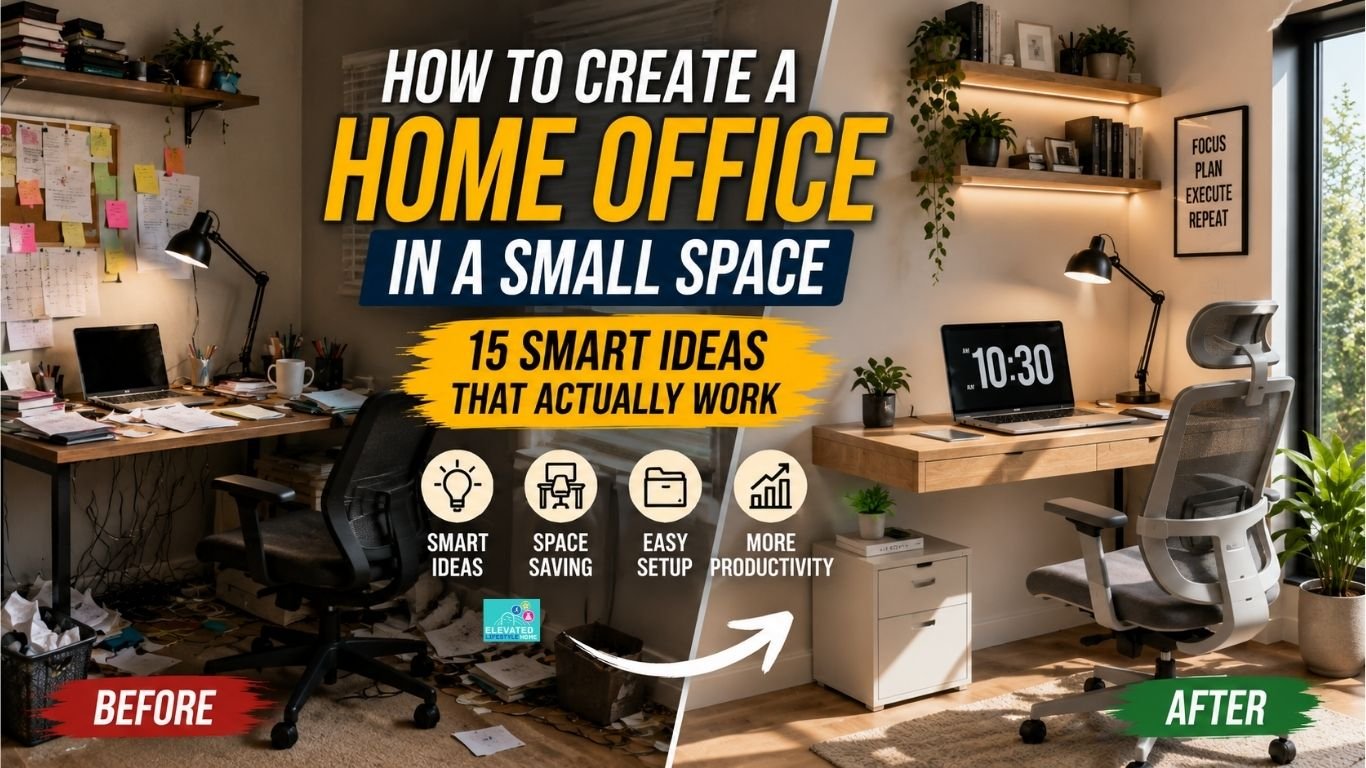
Working from home offers incredible flexibility, but staying focused without a dedicated workspace can feel frustratingly difficult.
Learning how to create a home office isn’t about clearing out an entire spare room or spending thousands on high-end furniture—it’s simply about designing a quiet, functional corner where you can work without constant interruptions.
With a few practical layout tweaks, minimalist setups, and smart space-saving storage, you can transform even the tightest nook into a comfortable, high-productivity workstation.
Here’s how to plan, organize, and build a small home office that fits your space and your budget.
Disclosure: This article contains affiliate links. If you purchase through these links, I may earn a small commission at no extra cost to you. I only recommend products that I believe offer genuine value for creating a comfortable and productive home office.
Why Setting Up a Home Office Is More Important Than Ever
Setting up an intentional home office space is no longer a luxury reserved for large houses; it has become a fundamental requirement for maintaining productivity, focus, and overall well-being.
As the line between professional tasks and home life continues to blur, establishing a structured workspace—regardless of its size—can make it easier to stay focused, productive, and organized throughout the workday.
The Shift to Flexible Remote Work
Remote and hybrid work have changed how many people balance their professional responsibilities with everyday life at home.
Having a designated workstation—regardless of how compact it might be—establishes a necessary physical boundary between your job responsibilities and your personal downtime.
Without this defined space, work activities easily bleed into your evening relaxation, leading to constant distraction and burnout.
The Psychology of a Dedicated Workstation
Stepping into a specific, organized work spot helps your brain transition smoothly from “home mode” into “focus mode.”
Even if you are utilizing a small bedroom alcove or a quiet hallway nook, a dedicated desk setup creates a psychological signal that it is time to lock in and be productive.
Having a regular place to work can make it easier to focus during work hours and switch off when the workday ends.
Creating a dedicated workspace not only improves focus but also supports healthier long-term working habits. For additional workstation ergonomics, you can review OSHA’s Computer Workstations eTool.
Assessing Your Available Space

Finding the perfect spot for a workstation doesn’t require knocking down walls or sacrificing an entire room.
Before buying furniture, walk through your home with an open mind to identify underutilized square footage that can easily be repurposed into a functional work zone.
Spotting Unused Nooks and Corners
Take a fresh look around your living room, bedroom, or even a wide hallway. An empty corner beside a window, the space beneath a stairwell, or a quiet alcove can easily accommodate a slim desk setup with the right approach.
Converting Unused Closets (The “Cloffice”)
If floor space is extremely tight, consider converting an underutilized reach-in closet into a hidden workspace.
By removing the doors, mounting a shallow desktop, and adding vertical floating shelves, you create a cozy workstation that can be hidden away when your workday ends.
How to Create a Home Office Layout in a Small Room
Designing an efficient small workspace requires balancing your daily work needs with the physical limitations of your room.
Plan your layout before buying furniture. This can help you avoid buying pieces that are too large and make your workspace uncomfortable.
Define Your Workflow Needs First
Before purchasing any furniture, evaluate what your daily workload actually requires. If you only need a laptop and a notepad, a shallow floating desk works perfectly.
If you work in a shared home or frequently deal with background noise, investing in Noise-Cancelling Headphones can help you stay focused without requiring a separate room.
If your job requires dual monitors or physical files, you will need to prioritize deeper desktop surfaces and nearby vertical storage.
Measure Your Clearance Zones
Measure your available space carefully before buying furniture. Beyond desktop dimensions, ensure you leave at least 30 inches of clearance behind your desk so your office chair can slide back smoothly without hitting nearby walls or furniture.
Prioritize Multi-Functional Furniture
In a compact room, every piece of furniture should work double duty. Look for slim console tables that function as desks during the day and sideboards in the evening, or floating desks with built-in storage drawers to keep your footprint light and open.
Best Furniture for a Small Home Office

Choosing the right furniture is one of the most important parts of setting up a small home office.
Huge executive desks and bulky leather chairs will instantly overwhelm a tight room, making it feel cluttered and restrictive. Instead, focus on streamlined pieces designed specifically for small footprints.
- Wall-Mounted and Drop-Down Desks: Fold-down or wall-mounted floating desks can be great space-savers.
They provide a sturdy, functional work surface when you need it and fold flat against the wall when your workday ends, instantly opening up your floor space. - Slim Console and Ladder Desks: If you prefer a freestanding setup, opt for a slim console table or a vertical ladder desk. These pieces have narrow depths that fit comfortably against hallway walls or bedroom corners without blocking traffic paths.
- Compact Ergonomic Seating: Don’t sacrifice your posture for space. Choose a sleek ergonomic office chair, such as the Marsail Ergonomic Office Chair, that offers proper lumbar support but features a lower profile and flip-up armrests so it can slide completely under your desk when not in use.
Storage Solutions That Save Space

When horizontal floor space is extremely limited, the smartest organization strategy is to build upward. Clutter is the biggest enemy of a compact workspace, and utilizing smart vertical storage keeps your desktop clean and your focus sharp throughout the day.
- Maximize Vertical Space with Floating Shelves: Mount two or three floating wall shelves, such as the upsimples Floating Wall Shelves, directly above your monitor or desktop. This utilizes empty wall space to hold books, notebooks, and supply bins, keeping your primary work surface completely clear.
- Utilize Under-Desk Filing and Drawers: Keep your floor footprint minimal by sliding a slim, rolling filing cabinet or modular storage bins directly beneath your desk surface.
- Incorporate Pegboards and Wall Organizers: Hanging a metal or wooden pegboard behind your desk creates a customizable storage grid for headphones, sticky notes, pens, and small tools without taking up a single inch of desk real estate.
Tech Setup and Cable Management for Compact Offices
A messy bundle of power cords and bulky electronics can quickly turn a small, peaceful workspace into a chaotic environment. Streamlining your technology setup and hiding visible wires is essential for maintaining a clean, minimalist home office.
- Use Dual-Purpose Tech Accessories: Space-saving tech accessories can add useful functionality without taking up much desk space.
Consider using an adjustable laptop stand like the Nulaxy Laptop Stand to raise your screen to eye level and create additional desk space underneath for your keyboard. - Switch to Wireless Peripherals: Reduce visual clutter significantly by choosing a wireless keyboard, mouse, and Bluetooth headphones. Fewer cables make your desk look instantly organized and far more spacious.
- Invest in Cable Management Channels: Use a Cable Management Kit to bundle your power strips and monitor wires neatly beneath your desk. Tucking cables neatly against the underside of your desk prevents messy, tangled cords on the floor.
A streamlined setup works even better when combined with a simple digital workflow that keeps both your physical and digital workspace organized.
Home Office Organization Tips for Better Productivity
Good home office organization helps you stay productive even in a compact workspace. Setting up smart storage is only half the battle; maintaining daily organization keeps your small workspace functional over time.
When working within tight square footage, daily clutter management directly impacts your mental clarity and productivity.
- Implement a Strict Declutter Routine: Be intentional about what stays on your desk. Keep only your daily essentials—like your computer, notepad, and a single pen—on the main desktop, moving everything else to drawers or vertical shelves.
- Use Drawer Dividers and Trays: Prevent office supplies from turning into a chaotic pile by adding inexpensive dividers inside your desk drawers. Grouping cables, sticky notes, and stationery into dedicated compartments makes items effortless to find.
- Execute 5-Minute Evening Resets: Take five minutes at the end of every workday to clear off loose papers, wipe down your desk, and tuck your chair away. Starting each morning with a pristine workspace sets a positive tone for your entire day.
If your desk constantly feels cluttered, our guide on how to organize your desk for productivity can help you create a cleaner and more focused workspace.
Small Home Office Ideas That Make Any Space Feel Bigger

A small footprint doesn’t mean your workspace has to feel dull or restrictive. Incorporating creative layout ideas and proper lighting transforms even the tightest corner into an inviting, high-energy environment.
- Creative Small Office Space Ideas: If you don’t have a spare corner, convert the quiet space under a stairwell into an office with a custom-cut desk plank and overhead wall lights.
Alternatively, place a slim desk against a bedroom window alcove, or use a foldable room divider screen to separate your work area in a shared living room visually. - Maximize Natural Light: Whenever possible, place your desk near a window. Natural light can make a small workspace feel brighter and more comfortable, while also providing better lighting for video calls.
- Add Focused Task Lighting: To prevent eye strain during early morning or late-evening work blocks, invest in an adjustable LED desk lamp or a Quntis Monitor Light Bar to illuminate your workspace without taking up valuable desk space.
How to Separate Work and Home Life
When your office is located inside your bedroom or living room, maintaining a clear mental separation between work hours and personal time is essential for preventing burnout.
Creating intentional physical and psychological boundaries helps you disconnect cleanly at the end of the day.
- Establish Clear Operational Routines: Set strict start and stop times for your workday. Closing all work applications and shutting down your laptop signals to your brain that your shift has officially ended.
- Use Visual Separation Barriers: In shared living spaces, use lightweight room dividers, folding screens, or sheer curtain panels to block your desk from view during off-hours.
- Hide Your Workspace After Work: If your desk is in a bedroom or living room, put away work materials and close your laptop when your workday ends. This simple habit helps create a clearer separation between work and personal time.
Pairing your office organization with digital decluttering helps reduce distractions and keeps your entire workspace easier to manage.
Work From Home Office Setup Tips for Small Spaces

Thriving while working remotely from a compact apartment or a shared room isn’t about having a massive executive desk—it is entirely about building consistent habits and maintaining a sharp professional mindset.
When your workspace is small, a simple daily routine can make a bigger difference than having a large desk.
- Optimize Your Transitions: At the end of your workday, physically shut down your work laptop and step away from your desk. Creating this small physical gap helps your brain switch off professional stress cleanly, even if your “office” is just a few feet away from your bed.
- Build Routine Over Square Footage: A structured daily schedule matters far more than the size of your office. Establishing predictable start and stop times, dressing comfortably yet professionally, and keeping a consistent morning routine makes it much easier to transition into work mode every day.
- Create a Focused Work Environment: Even a small desk can feel like a proper workspace when you keep it clean, organized, and free from distractions.
Keeping your workspace clean, closing distracting personal tabs, and taking your daily tasks seriously reinforces your professional focus and helps family members respect your active work hours.
Budget-Friendly Customization Tips
Building an inspiring home office doesn’t require a massive financial investment. With a little creativity and strategic planning, you can design a beautiful, functional workspace on a modest budget.
- Repurpose and DIY Furniture: Give existing household furniture a second life. An old dining table can be trimmed down into a custom desk, or wooden crates can be stacked and wall-mounted to serve as rustic floating bookshelves.
- Shop Secondhand Markets: Browse local thrift stores, garage sales, or online secondhand marketplaces. You can frequently find high-quality office chairs, solid wood desks, and storage organizers at a fraction of retail prices.
- Add Minimal Personal Touches: Personalize your nook with small, low-cost elements that spark joy. A single low-maintenance indoor plant, a favorite framed art print, or a calming wall color palette can make your compact office feel uniquely yours.
A productive home office starts with an organized workspace and consistent daily habits. If you’d like a simple checklist to set up a focused workspace without overspending, download our free Home Office Setup Checklist and build your ideal workstation step by step.
Recommended Home Office Essentials
Here are a few products that can help you build a comfortable and organized home office without taking up too much space.
🪑 Ergonomic Office Chair
View on Amazon💻 Adjustable Laptop Stand
View on Amazon💡 Monitor Light Bar
View on Amazon🪵 Floating Wall Shelves
View on Amazon🔌 Cable Management Kit
View on Amazon🎧 Noise-Cancelling Headphones
View on AmazonFinal Thoughts on How to Create a Home Office
At the end of the day, learning how to create a home office that fits your lifestyle isn’t about having a grand room or top-tier commercial furniture.
It’s simply about establishing an intentional, comfortable, and distraction-free setup tailored to your daily workflow.
By starting small, focusing on vertical storage, and keeping your workspace organized, you can transform any unused corner into a functional environment that supports both your career performance and your daily peace of mind.
A well-designed workspace isn’t about having more space—it’s about making better use of the space you already have.
Frequently Asked Questions About Creating a Home Office
Q1: What is the best way to create a home office in a small space?
Choose a slim or wall-mounted desk, build upward using floating wall shelves, and keep your primary desktop clutter-free. Position your workspace near natural light to make the area feel open and spacious.
Q2: Can I set up a functional home office in a studio apartment?
Yes. Use a fold-down floating desk, an unused closet nook (cloffice), or a corner beside a window. You can visually divide your workspace from your living area using a foldable room divider screen.
Q3: What furniture works best for tiny home offices?
Wall-mounted drop-down desks, narrow console tables, ladder desks, and low-profile ergonomic chairs with flip-up arms that slide completely under the desk work best for compact footprints.
Q4: How do I manage messy computer cords on a small desk?
Switch to wireless tech peripherals, route power strips underneath your desk using adhesive cable channels, and bundle wires together using flexible cord management sleeves.
Q5: How can I make a small home office feel bigger and brighter?
Paint surrounding walls in light neutral shades, maximize natural daylight from nearby windows, install monitor screen bar lights, and keep your main desk surface free of unnecessary items.
Q6: What is the minimum space needed for a small home office?
For a basic laptop setup, a desk around 30 inches wide and 18 inches deep may be enough, but you’ll need more space if you use multiple monitors or larger equipment. Leave enough room behind the desk for your chair to move comfortably.
Q7: How do I reduce noise distractions when working in a small space?
Use quality noise-cancelling headphones to block distractions during focused work sessions, and set clear quiet-hour boundaries with family members during active work blocks.
Q8: Are wall-mounted drop-down desks sturdy enough for daily work?
They can work well for a daily setup when they are properly installed and used within the manufacturer’s weight limit. Always follow the mounting instructions and make sure the desk is securely attached to the wall.
Q9: How can I build a budget-friendly small home office?
Repurpose existing household tables, build DIY floating shelves using wood planks and wall brackets, and buy secondhand ergonomic office chairs or solid wood desks on local online marketplaces.
Q10: How do I maintain good posture in a compact home office?
Choose a supportive ergonomic chair with lumbar support, elevate your laptop screen to eye level using an adjustable laptop stand, and ensure your elbows rest comfortably at a 90-degree angle while typing.
Q11: How do I create a home office without a spare room?
Use underutilized spaces such as bedroom corners, hallway alcoves, or closets with a floating desk and vertical storage. A well-planned compact workspace can be just as productive as a dedicated office.


1 thought on “How to Create a Home Office in a Small Space: Smart Ideas That Actually Work”