
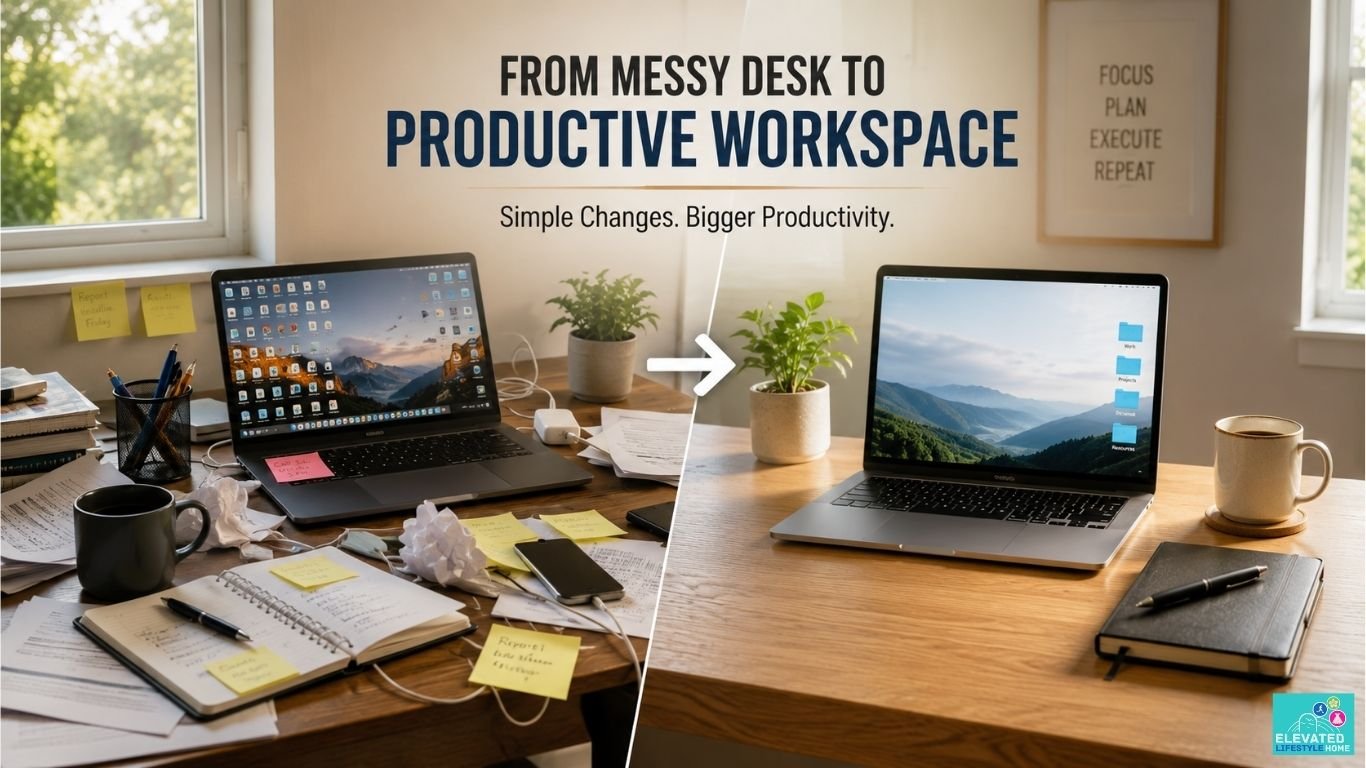
We have all been there. You sit down with a fresh espresso, ready to tackle a high-stakes project, but your eyes keep darting to the stray cables, stacked receipts, and the half-empty coffee mug from yesterday.
Instantly, an invisible weight settles over your mind. For high achievers striving for sustained focus and productivity, a chaotic workspace isn’t just an eyesore—it is a silent leak draining your cognitive energy.
The truth is, your desk is not merely a piece of furniture or a storage surface. It is a physical manifestation of your mental state.
Learning how to organize your desk for productivity helps you create a workspace that supports better focus, fewer distractions, and more productive work sessions.
Let’s design a workspace that clears the mental fog.
Disclosure: This article may contain affiliate links. If you purchase through these links, I may earn a small commission at no extra cost to you. I only recommend products I genuinely believe are useful.
The Spatial Cost of Chaos: How Physical Clutter Drains Executive Performance
Neuroscientists at Princeton University discovered something fascinating: our visual cortex is easily overwhelmed by task-irrelevant objects. When your desk is cluttered, the constant visual stimuli compete for your brain’s limited processing capacity.
You might think you are ignoring that stack of unopened mail, but your subconscious mind is actively working to filter it out. This creates a subtle, persistent phenomenon known as attention residue.
This mental drain directly impairs your working memory and slows down decision-making. Many people assume they are tired because of work, when in reality their environment also plays a role.
Every unnecessary item on your desk competes for your attention, even if you don’t notice it consciously.
I will be the first to admit that even the most premium, beautifully curated systems collapse during a chaotic launch week.
My own desk has looked like a paper storm hit it. But the difference between chronic fatigue and peak execution lies in having a repeatable protocol to return to.
When you intentionally figure out how to organize desk for productivity, you restore your executive stamina.
- Better Focus: A clean visual plane signals to your brain that it is safe to focus on a single, complex task.
- Faster Workflow: When every tool has a dedicated home, you eliminate the micro-delays spent searching for a pen or a notebook.
- A Calmer Workspace: A minimal, airy aesthetic lowers background cortisol levels, allowing you to approach deep work with a composed mind.
Step 1: The Total Spatial Purge
To fix a broken environment, you cannot simply move items around. You need a complete reset. The premium approach to organization requires you to completely clear your desk until it is a completely empty desk.
Strip away the laptop, the lighting, the trays, and the decor. Let yourself look at the raw, empty surface. Once your desk is bare, evaluate every single object before letting it back into your space.
Ask yourself whether an item actively supports your current daily workflow or if it is just taking up valuable desk space out of pure habit.
This process isn’t about deprivation; it is about intentional organization. By forcing every object to earn its place back on your surface, you break the cycle of subconscious hoarding.
- The Active Tier: Tools you touch every single day (your primary computer, keyboard, mouse, or monitor).
- The Archival Tier: Items needed weekly or monthly. These belong in a closed drawer, completely out of sight.
- The Sentimental Tier: Objects that offer emotional grounding. Limit this to a single, high-quality piece to avoid visual noise.
Step 2: How to Organize Desk for Productivity with Zonal Layouts
An elite workspace relies on dedicated work zones. Instead of placing items wherever they happen to land, divide your surface into two distinct realms based on physical distance and cognitive utility. This is the cornerstone of understanding how to organize desk for productivity over the long term.
The Primary Focus Zone
This is your immediate workspace—the 10-inch radius directly in front of you. This zone is sacred and should be reserved exclusively for your current task.
For most modern professionals, this space should contain only your primary display, keyboard, and mouse so your attention stays focused on the task in front of you.
When working in this zone, no other objects should cross the boundary line. Keeping this area completely clear prevents your gaze from wandering and keeps your attention anchored firmly to the screen or page.
The Secondary Task Zone
This area sits just beyond your primary zone, within an easy arm’s reach without needing to lean or stretch. This is where you position your high-end everyday tools. A notebook, pen, or a glass of water belong here.
By separating these zones, you create a seamless, friction-free transition when switching between digital execution and physical brainstorming. It creates an intuitive layout where your body moves naturally, without breaking your cognitive momentum.
Step 3: How to Declutter Home Office Desk Surfaces for Mental Clarity

When working from home, the boundaries between professional execution and personal life blur instantly. Your workspace easily becomes a magnet for household items, random tech cords, and daily mail.
To learn how to declutter home office desk surfaces effectively, you must treat your desk as a professional workspace, not a catch-all table.
Surface decluttering is not a weekend project; it is a daily discipline. Start by removing any double-stacked items or overlapping organizers. If you have plastic bins stacked on top of each other, you are creating hidden pockets of clutter.
Knowing how to declutter home office desk spaces means realizing that more storage boxes often just means more hidden mess.
Instead, embrace the concept of negative space. Leaving empty, unused areas on your desktop allows your mind room to breathe and think.
The goal is to create a workspace that feels open, airy, and inherently calming the moment you step into the room.
An organized desk works even better when your computer files are organized too. Read our guide on how to organize digital files efficiently to make your entire workspace easier to manage.
Step 4: Eradicating the Invisible Friction of Digital Clutter

Your physical surface is only half the battle. In the modern workspace, digital clutter is a silent performance killer that mirrors and amplifies physical disarray.
You can have a completely pristine light oak desk setup, but if your screen is an unorganized sea of loose icons and randomized downloads, your brain still experiences unnecessary distractions.
Every unfiled document on your screen acts as an unfinished task. When you look at a disorganized desktop, your subconscious treats each icon as a tiny, unfinished task demanding your executive attention.
This digital visual noise triggers the same attention residue as a stack of physical papers. To break this cycle, you must learn how to organize computer desktop files efficiently.
Treat your digital workspace with the exact same organization as your physical surface. Once you master how to organize computer desktop files, your daily startup friction completely disappears.
- The Single-Screen Rule: Keep your active desktop entirely clear of permanent icons. Your screen should feature nothing but a clean, high-resolution background that promotes mental calm.
- The Operational Inbox: Create one primary folder labeled “Inbound.” Every single new download or temporary file lands here first, keeping the rest of your screen pristine.
- The Weekly Purge: Dedicate the final ten minutes of your Friday workflow to emptying the Inbound folder, archiving essential data, and deleting temporary files. When you know how to organize computer desktop files layout cleanly, your focus shifts instantly.
Step 5: The Spatial Alignment Index for Peak Task Execution
True workspace optimization requires a repeatable behavioral framework to maintain order when pressure mounts. Instead of relying on generic habits, high performers use
The Spatial Alignment Index—a proprietary three-stage micro-protocol engineered specifically to protect your physical surface from creeping disorder during intense focus blocks.
+-----------------------------------------------------------------+
             THE SPATIAL ALIGNMENT INDEX
+-----------------------------------------------------------------+

   1. THE TOUCHSTONE BOUNDARY --> One tangible tool for your task
   2. THE KINETIC CHANNELS    --> Zero overlapping device paths
   3. THE EVENING RESET CRITERIA --> True visual zero at shutdown

+-----------------------------------------------------------------+
1. The Touchstone Boundary
Before you type a single word or open a new browser window, establish your touchstone. Place one specific physical tool within your immediate primary focus zone that represents your single current objective.
This could be your favorite pen resting on an open notebook of your textured linen planner, or a single printed project brief. This object acts as a physical interruption mechanism for your eyes.
The moment your attention drifts toward digital distractions, your gaze naturally falls back to this tactile anchor. It subtly signals your brain to bypass the visual noise and return directly to your primary task.
2. The Kinetic Channels
This phase addresses layout mechanics. You must actively maintain completely unobstructed physical paths for your hands, arms, and tools.
Your external keyboard and input devices should sit at fixed coordinates that allow your shoulders to remain drop-relaxed.
An ergonomic wireless mouse supports a more natural hand position and helps reduce wrist strain during long work sessions, making everyday computer use more comfortable.
View on AmazonIf you use a tablet as a secondary screen, keep it positioned separately from your main monitor to avoid clutter and maintain clear movement paths.
Never stack devices or allow cables to cross your movement paths. Overlapping tools create subtle physical resistance, breaking your natural momentum and adding minor, daily irritations to your workflow.
3. The Evening Reset Criteria
The final phase of the index happens at the conclusion of your working day. You never walk away from your desk leaving tasks half-exposed or papers scattered. You return the entire landscape to a true visual baseline.
Return your keyboard and mouse to their usual positions, place your writing tools back in their designated spot, and close any notebooks.
Resetting the space each evening ensures that the next morning presents a calm environment ready for instant execution rather than a messy reminder of yesterday’s leftover stress.
Ready to permanently eliminate spatial friction and reclaim your focus and productivity? Download our complimentary, print-ready blueprint to reset your environment in under five minutes.
Step 6: Incorporating an Ergonomic Desk Setup Guide for Sustained Energy

An organized desk is completely useless if your body experiences physical exhaustion within two hours of sitting down. True executive performance relies on proper posture.
Your environment must support your physiology to prevent physical fatigue from masquerading as mental burnout. Following a reliable ergonomic desk setup guide is essential to protect your health and your focus.
An adjustable standing desk makes it easier to switch between sitting and standing throughout the day, helping reduce fatigue during long work sessions.
Alternating between sitting and standing throughout the day also encourages better circulation and helps reduce stiffness caused by prolonged sitting.
View on AmazonMany professionals mistake aesthetic minimalism for ergonomic design. They buy flat, unsupportive chairs and beautiful but non-adjustable tables, sacrificing their posture for style. The body always pays the price for poor desk setup.
This is why a proper ergonomic desk setup guide emphasizes adjusting your gear to fit your body, not the other way around.
To optimize your setup, focus on the relationship between your spine and your primary tools. Your monitor should sit directly at eye level, ensuring your neck never tilts downward. Your elbows should form a clean 90-degree angle when resting on the desk surface, allowing your forearms to parallel the floor.
- Monitor Elevation: Use a dedicated monitor riser to position your screen at eye level for better posture and reduced neck strain.
- The Sitting Baseline: Adjust your chair height so your feet rest completely flat on the floor, keeping your hips slightly higher than your knees to reduce lower back pressure.
- Dynamic Placement: Keep your most frequently used input devices close to your body to eliminate repetitive shoulder reaching throughout the day.
Step 7: How to Arrange a Minimalist Desk Without Sacrificing Character

Minimalism is often misunderstood as stripping away soul. People think it means an empty white slab with nothing on it.
But if you want to learn how to arrange a minimalist desk that actually inspires you, you need to understand that true minimalism is the elimination of the non-essential, leaving only what brings absolute value.
When implementing changes on how to arrange a minimalist desk surface, you must focus on texture rather than color. A space can feel incredibly warm, high-end, and deeply personal without being cluttered with cheap plastic trinkets.
- The One-Object Rule: If you want to know how to arrange a minimalist desk while keeping it personal, pick exactly one deeply meaningful item—like a vintage sculpture or a meaningful item—and let it occupy its own dedicated space.
- Visual Continuity: Keep your color palette restricted to two or three natural tones to maintain a calm, cohesive environment.
- The Texture Strategy: Instead of cluttering your surface with decor, choose functional items made of premium materials. A solid wood monitor riser stand or a premium leather desk mat adds warmth, functionality, and character to a minimalist workspace.
The Two Workspace Fallacies High Achievers Routinely Fall For
Even the most dedicated professionals frequently misunderstand the core philosophy of space optimization.
They apply external solutions to internal friction, resulting in setups that look organized but function poorly. Real environmental clarity requires recognizing these hidden traps.
A workspace should support both comfort and productivity. Investing in an ergonomic office chair can help reduce fatigue during long work sessions while encouraging healthier posture.
View on AmazonThe Storage Substitution Trap
The most common mistake is attempting to solve a clutter problem by purchasing more organizational tools. Buying premium acrylic dividers, modular bins, and desktop filing systems creates an illusion of progress. In reality, it simply compartmentalizes your chaos.
When you add containers to a desk without reducing the absolute volume of your items, you introduce extra clutter. You now have to manage the organization system itself.
Authentic decluttering means removing the object entirely, not finding a more attractive way to hide it. This is a vital rule when figuring out how to declutter home office desk surfaces permanently.
Form Over Functionality
The rise of hyper-minimalist design trends has led many professionals to prioritize pristine, sterile visuals over biomechanical utility. A desk that looks like an art gallery installation is counterproductive if it lacks basic physical comfort or functional accessibility.
Knowing how to arrange a minimalist desk requires balancing visual quietness with actual real-world comfort.
Forcing yourself to work on a beautifully minimalist surface that lacks proper arm support, task lighting, or intuitive tool placement creates subtle physical resentment.
Your workspace must be a high-functioning vehicle for execution, not a rigid set piece designed only for visual presentation.
The Deep Work Threshold: Sensory Anchors for Instant Concentration
Beyond physical layout and ergonomic placement lies the cognitive layer of your environment. You can actively condition your brain to enter a state of deep focus by utilizing subtle, non-visual sensory inputs.
This approach builds a predictable environmental bridge to high-level execution. Our neurology associates specific environmental cues with distinct internal states.
By deliberately managing the auditory and olfactory background of your workspace, you create a Pavlovian trigger for professional concentration.
The moment these sensory conditions are met, your brain recognizes that it is time to transition from passive browsing to intense cognitive production.
- Acoustic Isolation: Utilize low-frequency pink noise or specific binaural beats exclusively during high-concentration work blocks to block out ambient domestic sounds.
- Olfactory Scripting: Introduce a premium, consistent scent—such as Hinoki wood, crushed cedar, or subtle amber—only when engaging in deep execution.
- Luminous Transitions: Shift your workspace lighting from bright, overhead blue-white light during morning tracking to a focused, warm task lamp during afternoon deep writing sessions.
A monitor light bar provides focused desk lighting while helping reduce screen glare and eye strain.
View on AmazonThe Desktop Curation: Premium Textures to Ground Your Workspace
The final layer of an elevated workspace is tactile materiality. The surfaces your hands touch throughout the workday directly influence your physical comfort and psychological groundedness.
Selecting high-end, intentional materials elevates the daily act of execution into a premium ritual. Replacing cheap plastic accessories with quality materials like leather or solid wood instantly makes your workspace feel more organized and inviting.
A premium leather desk mat helps define your primary focus zone while providing a comfortable surface for your forearms during long work sessions.
View on Amazon- The Desk Mat: A heavyweight, charcoal grey wool felt or full-grain vegetable-tanned leather desk mat defines spatial boundaries and dampens acoustic vibrations.
- The Structural Anchors: Utilizing a simple desk organizer or pen holder adds weight and permanent intentionality to your secondary task zone.
- The Hardware Foundation: A solid wood monitor riser elevates your screen to a more ergonomic height while adding warmth, stability, and extra storage space beneath your display.
A cable management box keeps power strips and cables hidden, making your desk look cleaner and reducing everyday visual clutter.
View on AmazonHonoring Your Space, Honoring Your Work
Designing an optimal workspace is ultimately not a project centered around aesthetic vanity or superficial neatness. It is an authentic act of professional self-respect.
When you deliberately curate your desk, you are actively deciding to honor your time, protect your cognitive energy, and respect the high-stakes work you are chosen to execute.
Your desk is the launchpad for your grandest ideas, your sharpest strategies, and your deepest focus. By removing the physical visual noise and aligning the biomechanical geometry of your setup, you free your mind from unnecessary friction.
The space on your desk ceases to be an uninspired void—it becomes an open workspace where your best work can finally breathe and expand.
Clear the surface, ground your senses, and let your best work take flight.
Recommended Workspace Essentials
These workspace essentials complement the organization strategies discussed throughout this guide and can help create a cleaner, more comfortable, and more productive desk setup.
🟫 Leather Desk Mat
Protects your desk while creating a comfortable workspace.
View on Amazon🪵 Monitor Riser
Raises your screen while creating extra storage space underneath.
View on Amazon🖱️ Ergonomic Mouse
Helps reduce wrist strain during extended computer use.
View on Amazon🪑 Ergonomic Office Chair
Supports healthy posture during long work sessions.
View on Amazon⬆️ Adjustable Standing Desk
Makes alternating between sitting and standing easier.
View on Amazon💡 Monitor Light Bar
Provides focused lighting while reducing eye strain.
View on Amazon🔌 Cable Management Box
Keeps cables and power strips neatly hidden for a cleaner desk.
View on AmazonFAQs on How to Organize Desk for Productivity
Q1: Why is my desk always messy?
Your surface accumulates clutter because your environment lacks dedicated functional zones. Without fixed boundaries for active projects and immediate archiving, random items naturally spill across the open space, creating constant subconscious friction.
Q2: How to organize desk for productivity when dealing with limited surface space?
Embrace verticality by using a streamlined monitor riser to reclaim empty space underneath your screen for active tools. Keep non-essential secondary items entirely off the main desktop plane by utilizing wall shelves or closed drawers.
Q3: What is the optimal placement for daily tools according to an ergonomic desk setup guide?
Position your primary monitor directly at eye level to eliminate neck strain, and place input devices where your elbows can maintain a natural 90-degree angle. Keep frequently used tactical tools within a relaxed arm’s reach.
Q4: How can I learn how to arrange a minimalist desk without making it feel cold and sterile?
Swap cheap plastic items for rich, organic textures like a heavyweight wool felt desk mat or a solid walnut riser to add immediate visual warmth. Keep the color palette restricted to three natural tones and showcase only one meaningful artifact.
Q5: What is the most efficient way to learn how to organize computer desktop files?
Enforce a strict single-screen rule by routing all daily downloads into a single, centralized folder labeled “Inbound.” Dedicate the final few minutes of your Friday workflow to empty this folder and clear your visual interface.
Q6: How often should I execute a full layout sweep to effectively declutter home office desk surfaces?
Turn surface clearing into a mandatory three-minute daily shutdown ritual at the end of your working hours. Resetting the entire workspace to a clean zero-state prevents cumulative mess and guarantees immediate clarity the following morning.
Q7: Does physical desk disarray directly impact cognitive performance and executive stamina?
Yes, multiple task-irrelevant objects in your visual field continuously compete for your brain’s processing capacity. This mental tax causes attention residue and drains your working memory, forcing you to use extra energy just to stay focused.
Q8: What type of lighting is best suited for maintaining focus in a minimalist home office?
Combine soft, indirect natural light with an adjustable task lamp that targets your active workspace without casting harsh glare on your screen. Shift to warmer color tones in the late afternoon to signal a transition into deep focus.
Q9: Should I keep a physical notebook on my desk if my entire workflow is digital?
Yes, keeping a premium analog journal in your secondary zone offers an immediate, screen-free outlet for quick strategic brain dumps. Ensure it remains closed and resting flat when not in use to protect your clean sightlines.
Q10: How many items should stay on my desk every day?
Keep only the items you use daily. Everything else should be stored in a drawer or cabinet to reduce distractions and maintain a clean workspace.
An elevated workspace is a continuously evolving reflection of your internal clarity. Which tip are you going to try first? Let us know in the comments.
