The digital landscape operates on a relentless economy of attention. For high achievers striving for elite executive performance, the real distraction is rarely a loud physical interruption.
Instead, it may be the quiet buzz of a phone sitting beside your keyboard. Even when you don’t open the notification, you still have to notice it, decide whether it matters, and return to what you were doing.
Learning how to manage notifications to improve focus is not about working longer. It is about protecting your attention, reducing cognitive fatigue, and creating more space for meaningful work every day.
Let’s be real. Even a good productivity system can fall apart when work gets busy. Most of us have put our phone on silent, only to pick it up a few minutes later just to see what we might have missed.
We are not failing for lack of willpower; our tools are designed to outsmart our biology. Reclaiming your peace requires looking directly at the psychological toll of your workspace.
Disclosure: As an Amazon Associate I earn from qualifying purchases. Some links in this article are paid affiliate links, which means I may earn a commission if you make a qualifying purchase through them, at no additional cost to you.
The Psychology of Fragmented Attention
The human brain did not evolve to handle a constant stream of digital interruptions while doing complex work.
When alerts keep interrupting you, it becomes harder to stay with one task long enough to get into a focused rhythm.
Understanding how interruptions affect your attention is a useful first step toward creating a calmer and more focused workday.
The Anatomy of Modern Focus Breakdown
When an alert flashes across a screen, it creates an invisible, immediate tax on your analytical capacity. Research on interruptions and attention suggests that people do not always return to a task at full focus immediately after a disruption.
Instead, a psychological phenomenon known as attention residue keeps a portion of your cognitive bandwidth anchored to that last digital ping.
Repeated interruptions can leave you feeling mentally tired and make it harder to give your full attention to complex decisions.
The Myth of Perpetual Digital Agility
We often mistake rapid task-switching for high-level productivity. Glancing at a team chat while drafting a complex strategic brief may feel efficient, but switching between demanding tasks comes with a mental cost. The more often you switch, the harder it can be to stay focused on the work in front of you.
This constant, high-friction shifting increases mental effort and can leave you feeling cognitively depleted.
Why Phone Notifications Increase Cognitive Fatigue

Many professionals assume their workload is the only reason they feel mentally drained, but frequent digital interruptions can add to that fatigue.
When you look at why phone notifications increase cognitive fatigue, the problem becomes easier to see: every unexpected alert asks you to stop, check, and decide whether it needs your attention.
One alert may not seem like much, but repeated interruptions can make it harder to stay focused and return fully to demanding work.
The Neurological Cost of the Micro-Interruption
Your smartphone is designed to make communication and information easy to access, but that convenience can also make frequent checking harder to resist.
Research on interruptions and attention suggests that unexpected notifications can increase mental strain and make it harder to maintain sustained attention.
Over time, these small interruptions can add mental effort and make it harder to stay focused on demanding work.
Quick Takeaway
Frequent notifications can add to mental fatigue, especially when they interrupt demanding work.
Context Switching and the Mental Effort It Takes
Shifting your mind from a deep revenue projection to a casual social notification requires an immense amount of executive energy.
When your attention keeps getting redirected, you spend more mental effort switching back to the task you were already working on. When your phone runs your day, you can end up spending your best focus on minor alerts.
How to Manage Notifications to Improve Focus
Managing notifications is less about working harder and more about deciding when you want to be reachable. A few simple settings can reduce interruptions and give you longer periods of uninterrupted focus.
By learning how to manage notifications to improve focus, you can create a routine that protects your attention without making you completely unavailable.
Auditing the Daily Digital Influx
Before changing your notification settings, take a quick look at what is actually interrupting you. Spend a single morning tracking every vibration, sound, and visual banner your devices generate.
You may be surprised by how many alerts you receive in just a few hours. Once you see which apps interrupt you most, it becomes much easier to decide what should stay on and what can wait.
- Quantify the Triggers: Explicitly note which specific platforms demand your attention most frequently throughout the morning.
- Find the Interruptions: Identify the non-essential alerts that repeatedly break your focus.
- Evaluate the Stress Value: Observe which communication channels trigger immediate professional anxiety versus mindless scrolling.
A Practical Strategy for Intentional Connectivity
A better approach is to stop letting every alert decide when you check your phone. Learning how to manage notifications to improve focus means setting up your devices so that information waits until you are ready to check it.
Instead of letting every app push updates to you, check messages and updates at times that work for your schedule.
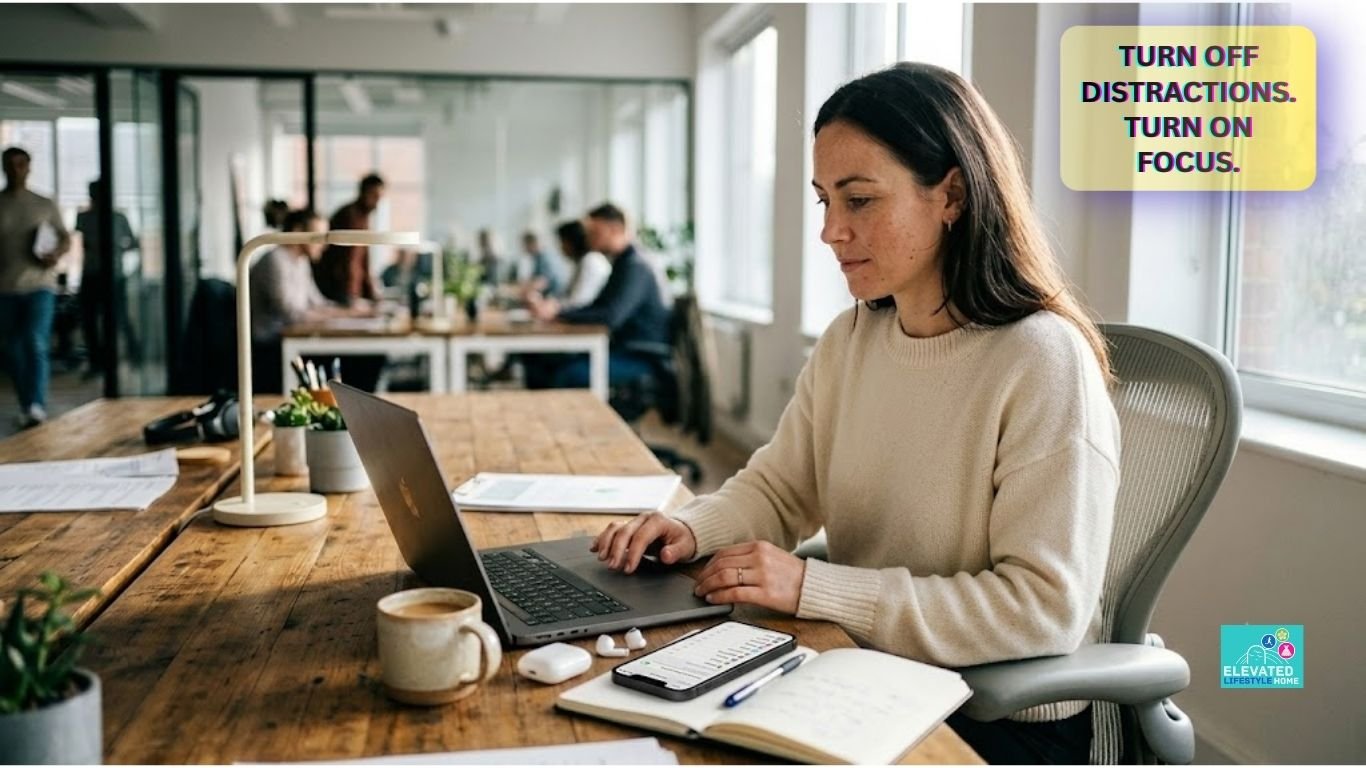
Picture a simple work session where your phone stays quiet, your desk is clear, and you can work through one task without constantly checking a screen.
That level of professional clarity is entirely achievable once you start managing your tools instead of allowing your tools to manage you.
If you are ready to expand your physical workspace into a complete sanctuary for deep thought, you might enjoy our curated guide on creating a home office setup that naturally inspires executive clarity.
The Calming Digital Transition
Moving away from constant notifications starts with a few simple changes to how you use your devices. We often treat our communication tools as emergency systems, allowing every incoming ping to dictate our immediate behavior.
When you set clear notification rules, you spend less time reacting to digital noise and more time deciding when you actually want to check your messages.
How to Turn Off Non Essential Notifications

Turning off unnecessary notifications is more than changing a setting. It is a simple way to decide which alerts deserve your attention.
Most applications are built to capture your attention through constant, low-value alerts that offer no real personal or professional benefit.
When you allow every application to broadcast its updates to your screen, you hand over control of your time to outside algorithms.
Knowing how to turn off non essential notifications is the first true step toward building a calm workspace that supports high-level executive thinking.
Identifying High-Stress Distraction Catalysts
Not all digital interruptions are created equal. To reclaim your attention, you must distinguish between utility alerts and algorithmic traps designed to keep you scrolling.
Social validation metrics, non-urgent news flashes, and promotional retail updates are major culprits. They add no real professional value, yet they constantly pull your focus away from critical tasks.
Removing these non-essential alerts and badges takes away some of the visual and audible cues that encourage you to check your phone.
The goal is to build an environment where your phone communicates only what is essential to your immediate life or primary business goals.
The Step-by-Step Curation of Your Lock Screen
Your lock screen should show you what matters, not every update from every app. Open your notification settings and turn off lock-screen alerts for apps that rarely need your immediate attention. Leave only essential utilities active, such as direct calendar updates or calendar invitations.
📱 The Pristine Screen Strategy: Clean Minimalist Wallpaper —-> Zero Active App Badges —-> No Visual Banner Alerts —-> Absolute Cognitive Clarity.
A cleaner lock screen reduces visual clutter and gives you fewer reminders to check your apps. It may also make it easier to keep your attention on the task in front of you.
Best Notification Settings for Deep Focus
The best notification setup depends on how you work and which alerts you actually need. To find the best notification settings for deep focus, use Focus Modes or similar tools to silence routine alerts while allowing important calls and messages through.
To establish the best notification settings for deep focus, you must configure automated, condition-based focus rules that filter out non-urgent digital pings entirely.
Configuring Mobile Operating Systems for High Performance
Modern mobile platforms include built-in tools designed to protect user attention. To establish the best notification settings for deep focus, look past basic silent modes and set up automated, condition-based focus profiles.
On iOS, you can configure custom Focus Modes; on Android, use Digital Wellbeing rules. Set these systems up to hide app icon badges entirely during your peak morning hours. Badges are visual triggers that create an artificial sense of urgency.
Removing those little red numbers breaks the psychological urge to open an app just to clear the alert.
Custom Profiles for Uninterrupted Deep Work Blocks
Some tasks simply require longer stretches of uninterrupted attention. Create a specific Deep Work profile that activates automatically at 9:00 AM every business day. This profile should block all incoming digital alerts, banners, and vibrations by default.
To make these focused periods easier to manage, organize your work tasks in advance so that your most demanding priorities are clearly defined before the distraction-free block begins.
You can also learn more about how to organize work tasks efficiently to create a more structured workflow around your deep-focus periods.
- Allow Important Contacts: Allow emergency calls from a select group of VIP contacts, such as your children’s school or key business partners.
- App-Level Silencing: Completely silence background channels like internal team chat tools and email during your high-value production blocks.
- Auto-Reply Status: Turn on status indicators that let your colleagues know you are currently focused and away from active chat windows.
How to Set Boundaries with Work Notifications

The modern expectation of constant professional availability is a direct threat to creative, high-level output.
If you do not explicitly dictate your communication boundaries, collaborative tools like Slack, Teams, and corporate email will quickly consume your personal peace.
Learning how to set boundaries with work notifications can help you stay responsive at work without feeling like you have to answer every message immediately.
Managing Professional Responsiveness and Digital Peace
Being responsive does not mean answering every internal message within seconds. Some work requires uninterrupted time, and setting clear communication windows can help protect it.
By establishing specific communication windows, you train your network to respect your deep work time while maintaining absolute trust in your eventual delivery.
Communicating Availability Templates to Your Team
Setting boundaries requires explicit, transparent communication. Use clean status indicators or brief automated signatures to signal your deep focus blocks.
Let your team know when you are available for real-time collaboration and when you are doing focused work. A simple status message can make these boundaries easier to understand.
Introducing The Spatial Attention Protocol
To permanently bridge the gap between digital overwhelm and deep executive clarity, we must move past basic software settings. This article introduces a proprietary behavioral framework:
The Spatial Attention Protocol. This system shifts your relationship with technology from a state of constant vulnerability to an intentional arrangement of your physical and digital space.
           +-------------------------------------------------------------+
                THE SPATIAL ATTENTION PROTOCOL
           +-------------------------------------------------------------+

    Phase 1: Physical Dislocation (Device outside line of sight)
    Phase 2: Intentional Retrieval (Batching communication)
    Phase 3: The Tactile Anchor (Analog note-taking tools)

         +-------------------------------------------------------------+
Phase 1: Keep Your Phone Out of Sight
One of the simplest ways to reduce phone-related interruptions is to keep your device out of your immediate line of sight during focused work.
If you need your phone nearby for calls or charging, give it a fixed place on your desk rather than leaving it face-up beside your keyboard. A simple phone stand can keep the device in one predictable location when you need to check it, while helping keep the rest of your workspace organized.
For a more flexible setup, the JSAUX Fold-Flat Cell Phone Stand is an adjustable desk option that folds flat when you are finished using it.
View the JSAUX Phone Stand on Amazon (paid link)The goal isn’t to make your phone completely inaccessible. It is to stop every incoming notification from becoming an automatic invitation to check the screen.
Phase 2: Intentional Retrieval
Instead of letting alerts interrupt your day, schedule specific times to check your messages. Allocate fifteen minutes at the end of every two-hour work block to review your communications.
You are still highly responsive, but you handle messages on your own terms when you have the mental energy to reply thoughtfully.
A simple physical focus timer can make these boundaries easier to follow without requiring you to pick up your phone and risk getting pulled into notifications.
Set a dedicated timer for your focused work period, then keep your phone out of sight while you work.
View the Focus Timer on Amazon (paid link)The purpose is not to force yourself into rigid productivity cycles. Instead, a visible, dedicated timer gives your work session a clear beginning and ending while keeping time management separate from the device that creates most of the digital distractions.
Phase 3: The Tactile Anchor
Not every thought needs to become another notification or open app on your phone. During focused work, keeping a physical notebook nearby gives you a simple place to capture ideas, reminders, or notes without immediately switching into another digital environment.
A reusable smart notebook can be especially useful if you prefer handwriting but still want your notes available digitally.
The Rocketbook Pro Smart Reusable Notebook lets you write by hand, scan your pages with the Rocketbook app, save your notes to supported cloud services, and reuse the pages again after wiping them clean.
View the Rocketbook Smart Notebook on Amazon (paid link)This creates a useful middle ground: you keep the tactile experience of handwriting while still having a digital copy of important notes when you need it.
Protect Your Bandwidth Everywhere: Want a quick way to review your notification settings? Download our complimentary one-page Executive Reset Checklist to work through the key changes step by step.
Common Notification Management Mistakes to Avoid
Even the most disciplined professionals frequently fall into subtle traps that quietly sabotage their attention spans.
True productivity is not achieved through chaotic digital habits or sudden, unsustainable periods of total tech isolation.
Recognizing these common notification management mistakes high achievers make will help you correct your boundaries without creating professional friction.
The Fallacy of the All-or-Nothing Silent Mode
Some people experience phantom vibrations—the feeling that their phone buzzed when it did not. If this happens to you, switching between constant alerts and complete silence may not feel comfortable at first.
A more practical approach is to create a predictable notification routine and allow only genuinely important alerts through.
Allowing Micro-Exceptions to Create Cognitive Leakage
A frequent mistake is leaving “just one” communication channel open—usually a fast-moving internal team chat or a specific direct messaging app. The justification is that you must remain available for emergencies.
However, these channels can also become some of the most frequent sources of distraction. Allowing these micro-exceptions punctures your attention boundaries, causing your focus to leak into minor issues while you are trying to execute deep work.
Advanced Rituals for Elite Attention Management
Technical configurations on your devices are only as effective as the behavioral habits that support them. To sustain elite executive performance over the long term, you must integrate intentional physical routines into your lifestyle.
These advanced rituals transition your nervous system smoothly from intense professional focus into deep, restorative recovery.
The Evening Digital Sunset Routine
To completely recover from the day’s cognitive load, you must establish a clear boundary between your professional output and your evening rest.
A digital sunset routine involves disabling all work-related platforms at a specific hour each evening. This creates a clearer boundary between work time and evening time.
It signals to your brain that the demand for executive performance has concluded for the day, allowing for deep, restorative rest.
- Hard Shutdown Time: Establish a strict, non-negotiable time to close all professional communication applications.
- Greyscale Shift: Switch your phone to greyscale if the screen feels too visually tempting at night. Removing bright colors can make the display feel less visually stimulating.
- Analog Transition: Replace late-night screen interactions with a physical book or a journaling practice to wind down naturally.
Environmental Cues That Anchor Deep Work
Your physical workspace plays an important role in creating an environment that supports focused work.
When your desk is clear and the items you use most often have a designated place, it becomes easier to begin a work session without first having to deal with unnecessary clutter.
A simple desk organizer can help keep everyday essentials such as pens, notebooks, charging cables, and other small accessories contained and easy to access.
View the Desk Organizer on Amazon (paid link)The goal is not to create a perfectly styled desk. It is to create a workspace where everything you need has a logical place, while unnecessary visual clutter stays out of your immediate working area.
Pairing a cleaner physical workspace with intentional notification settings creates a more consistent environment for focused work.
Premium Tools and Resources for Digital Curation

Your workspace does not need expensive gear to support focus. The most useful tools are usually the ones that make distractions less convenient and everyday tasks easier to manage.
The right tools can support these habits, but they do not need to be expensive. Choose items that make focused work easier and reduce the number of reasons you need to reach for your phone.
Minimalist Hardware and Desktop Essentials
An intentional workspace relies on tools that encourage deep focus rather than distraction. Transitioning away from digital screens for early brainstorming helps protect your analytical capacity. Utilizing premium, physical tools helps anchor your attention to the physical room.
- Physical Device Vaults: High-quality leather or solid oak phone containers designed to physically remove your device from your direct line of sight.
- Premium Analog Notebooks: Heavyweight, textured linen journals that serve as a distraction-free space for early strategic drafting.
- Mechanical Timers: Elegant, solid brass or minimalist visual countdown tools that track your deep work intervals without requiring a smartphone.
Simple Digital Tools That Support Focus
When digital tools are necessary, opt for minimalist applications designed to shield your attention from structural clutter. These curated platforms ensure you can interact with necessary data without falling into algorithmic traps.
+---------------------------------------------------------------+
            MINIMALIST SOFTWARE TOOLKIT
+---------------------------------------------------------------+

    Tool Category   | Focus Benefit

+----------------------------------------------------------------------------------------------+
    Distraction  |  Blocks specific distracting domains across
    Blockers  |  your entire desktop ecosystem.
+----------------------------------------------------------------------------------------------+
    Minimalist Text | Removes all formatting menus and banners,
    Editors  |  offering a completely blank writing canvas.
+----------------------------------------------------------------------------------------------+
    E-Ink Writing  |  Provides a tactile writing experience
    Tablets  | without background application alerts.
+----------------------------------------------------------------------------------------------+
The Quiet Return to High Performance
Better focus does not require a perfect routine. It starts with making your phone a little less demanding.
Turn off unnecessary alerts, allow important contacts through, and protect a few blocks of uninterrupted work during the day. When you decide when you want to check messages instead of reacting to every alert, it becomes easier to stay focused on the work that matters.
You do not need to be available every minute. You just need a system that lets you decide when your attention is available.
FAQ: How to Manage Notifications to Improve Focus
Q1: What is the fastest way to stop phone notifications from ruining my workflow?
The fastest fix is to turn off non-essential sounds, banners, and lock-screen alerts. Keep notifications for people or apps that genuinely need to reach you right away. If you need uninterrupted time for an important task, use a Focus mode or similar setting to create a temporary quiet period.
Q2: Does keeping my phone on vibrate still cause cognitive fatigue?
It can. Even without a sound, a vibration can interrupt your attention or make you wonder what arrived. If vibrations are distracting you during focused work, try turning them off and keeping your phone out of sight. You can still allow important calls or messages to come through when needed.
Q3: How do high achievers manage urgent work notifications without losing deep focus?
A practical approach is to use a Focus mode or notification profile that blocks routine alerts while allowing calls or messages from a small group of important contacts. This keeps you reachable for genuine emergencies without leaving every app active during your focused work periods.
Q4: Why do I feel anxious immediately after silencing my phone alerts?
If you are used to checking your phone frequently, suddenly receiving fewer alerts can feel unusual at first. Some people also experience phantom vibrations—the feeling that their phone buzzed when it did not. A predictable checking routine can make it easier to adjust to fewer notifications without feeling like you might miss something important.
Q5: Can icon badges cause mental exhaustion even if alerts are silenced?
They can contribute to distraction because they keep unread information visible on your screen. A small badge may remind you that something needs attention even when you are working on another task. If you find yourself checking apps because of those red numbers, try disabling app icon badges during your focused work periods.
Q6: How often should I check my work applications throughout the business day?
There is no single schedule that works for everyone. A useful starting point is to check work messages at planned intervals instead of responding to every alert as it arrives. For example, you might review messages after a focused work block and again later in the day. Adjust the timing based on your role and how quickly you need to respond.
Q7: What is the benefit of changing my smartphone screen to greyscale mode?
Greyscale removes most of the bright colors from your screen, which can make the display feel less visually stimulating. It is not a magic solution for phone distraction, but some people find that a less colorful screen makes the device less tempting to check. Try it during the evening or during focused work periods and see whether it helps.
Q8: How do I handle team expectations when I start silencing my work notifications?
Clear communication makes notification boundaries much easier to maintain. Let your team know when you are doing focused work and when you will check messages again. A simple status message on Slack, Teams, or another work platform can make your availability clear without requiring you to stay online every minute.
Q9: Can turning off notifications really improve productivity?
Yes. Reducing unnecessary notifications can limit interruptions and make it easier to stay focused on one task at a time. The goal is not to silence everything, but to decide which alerts are important enough to reach you immediately and which can wait.
Which app interrupts your focus the most? Turn off one unnecessary notification today and see whether it makes your next work session easier.
