
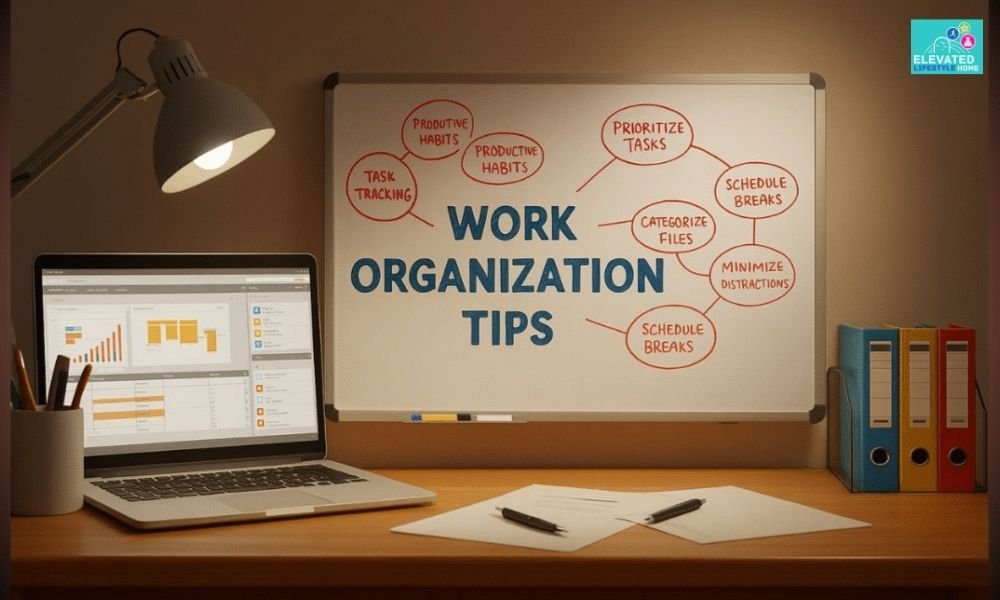
The contemporary corporate landscape operates at a surprisingly fast pace. We no longer carry physical leather briefcases packed with chaotic paperwork, yet our virtual interfaces feel deeply crowded with endless open browser loops, unread application notifications, and unorganized cloud assets.
For high achievers striving for peak performance, digital and physical clutter isn’t just an aesthetic mess—it is a silent drain on your daily focus.
If you want to protect your working memory, these work organization tips will help you reduce distractions, improve focus, and build a more efficient daily workflow.
Disclosure: This article may contain affiliate links. If you purchase through these links, I may earn a small commission at no extra cost to you. I only recommend products I genuinely believe are useful.
Why Staying Organized at Work Improves Productivity
Every unorganized asset sitting on your desk or screen demands a fraction of your attention. Visual mess competes directly for your brain’s processing capacity, heavily increasing your mental load and causing mental exhaustion before midday.
When your virtual workspace is a chaotic sea of unnamed files, your brain constantly expends hidden energy filtering out background noise.
Most professionals think productivity means working faster. However, the best work organization tips focus on removing unnecessary friction before trying to work harder.
For professionals operating at their absolute peak, maintaining a clean workspace directory is the physical equivalent of a clear mind. When you build an intentional layout, you unlock major strategic benefits:
- Reclaims Wasted Work Hours: You completely stop hunting for documents, spreadsheets, or client assets because every file houses a predictable, logical destination.
- Reduces Mental Overloads: Removing loose icons and messy physical piles signals safety to your nervous system, keeping your decision-making sharp.
- Deepens High-Value Focus Blocks: True simple order shields your prefrontal cortex, allowing you to execute heavy creative strategy without constant context switching.
- Sustains Enterprise-Grade Professionalism: An organized workflow guarantees absolute delivery reliability, ensuring no high-stakes milestones are missed.
1. Setting Clear Goals and Priorities

Building a sustainable workflow requires moving away from vague, reactive targets. Generic goals like “doing better at work” offer zero directional clarity and exhaust your focus.
Instead, experienced professional execution requires structuring your core objectives through clear, measurable boundaries that dictate your daily, weekly, and monthly milestones.
Dividing long-term goals into flat, manageable micro-actions ensures that your system remains agile under pressure.
By treating your primary targets as fixed checkpoints rather than optional tasks, you create an unshakeable strategy where your daily output remains deeply connected to your highest professional outcomes.
To shield your attention when everything feels urgent, deploy this execution framework:
- The ABC Filter: Group your incoming tasks strictly by tier—labeling assets as A (vital execution), B (secondary support), or C (low-impact maintenance) to master your focus.
- The Milestone Lock: Map out your high-stakes priorities on a clean monthly dashboard, ensuring you never have to guess what needle-moving project to tackle next.
These work organization tips make it easier to prioritize meaningful work instead of constantly reacting to urgent requests.
2. Time Management Strategies to Improve Productivity at Work

Protecting your strategic stamina demands a repeatable structural wall around your peak working hours. Standard calendar management usually fails because it treats all hours as if they hold equal value.
High achievers know that grouping similar administrative duties, email triage, and creative problem-solving into dedicated, isolated windows is the only way to avoid chronic mental burnout.
Using focused production blocks keeps your brain anchored in a true state of flow. Instead of checking incoming team messages thirty times a day and fracturing your attention, batching your connectivity ensures your analytical energy remains completely under your control.
Working in short, disciplined intervals followed by brief recovery breaks helps reset your attention, making it much easier to improve productivity at work without sacrificing the quality of your output.
3. Simple Daily Habits to Stay Organized at Work
Transitioning to a streamlined system does not require over-engineering your everyday routines. When a workflow requires too much manual maintenance, it transforms from an efficiency driver into a source of subtle psychological friction.
True optimization relies on simple, low-distraction constraints that you can execute effortlessly without draining your energy.
To prevent the creeping visual and digital build-up that quietly fractures focus throughout the week, embed these three foundational micro-habits directly into your lifestyle rhythm:
- The 3-Minute Desktop Purge: Clear your immediate physical desk surface and device screen background every evening to guarantee a completely fresh start and immediate mental relief the next morning.
- The Cloud Intake Funnel: Redirect all incoming internet downloads to a single temporary cache folder labeled
00_Intakeinstead of scattering unclassified documents across your layout display. - The Three Priority Lock: Explicitly write down your top three high-yielding business priorities every morning before opening communication channels or checking inbox notifications.
A simple daily planner makes it easier to write your top three priorities before opening emails.
Small work organization tips practiced every day often create bigger long-term results than major productivity overhauls.
4. How to Organize Tasks at Work Like a Pro

Mastering task allocation requires moving away from reactive firefighting and shifting toward a flat, linear execution setup.
The foundation of professional workplace efficiency is not about multitasking or tracking your schedule in five different applications; it is about reducing the number of open loops that fracture your attention span.
These task management tips help reduce decision fatigue, keep projects moving forward, and make it easier to focus on high-impact work every day.
When your daily pipeline is clean, your next professional step becomes entirely obvious, removing the decision fatigue of what to work on next. To cleanly optimize your workflow and protect your strategic stamina, deploy this structured task management model:
- Deconstruct Complex Deliverables: Instead of focusing on a massive quarterly target, break high-stakes projects down into immediate micro-actions that require minimal starting effort.
- Enforce Internal Time-Caps: Establish rigid, non-negotiable internal deadlines for every milestone to protect your daily calendar from expanding unexpectedly.
- Isolate Active Production Windows: Guard your peak creative hours by closing non-essential software applications and web tabs, ensuring you work in a clean, distraction-free environment.
5. Workplace Organization Tips to Organize Your Workspace
Your physical surroundings directly condition your internal mental processing speed. A workspace buried under loose paperwork, unorganized cables, and stray items forces your brain to constantly expend micro-amounts of focus filtering out visual noise.
One of the most effective work organization tips is to organize your workspace by keeping only essential items within reach:
- The Desktop Desk-Mat Boundary: Restrict your immediate active surface area to your primary display, a cup of coffee, and a single daily planner.
- The Unified Filing Principle: Build a clean physical file directory that mirrors your digital cloud directories, ensuring that every active project asset houses a singular, logical source of truth.
Keeping important contracts, invoices, and printed documents inside an expanding file folder makes paperwork easier to organize and retrieve whenever you need it. - Concealed Storage Architecture: Utilize dedicated shallow drawer organizers, dividers, and labeled folders to keep specialized work tools completely hidden from view but instantly accessible in seconds.
A desk drawer organizer keeps office supplies neatly separated and easy to access, reducing desktop clutter while making everyday essentials easier to find.
6. Work Desk Organization Ideas for Better Focus
True workspace optimization bridges the gap between premium visual aesthetics and physical endurance. High achievers understand that a beautiful office setup must protect their physical energy and reduce daily fatigue during long stretches of deep, continuous strategy sessions.
Eliminate the physical micro-frictions that break your flow by configuring your station with tactical ergonomic anchors:
- Concealed Cable Routing: Deploy sleek under-desk management trays or magnetic clips to completely remove visible wires from your field of view, keeping the desktop landscape clean and airy.
An under-desk cable management tray keeps cables neatly hidden, helping create a cleaner workspace with fewer visual distractions. - Tactile Workspace Grounding: Define your primary work zone with a clean, comfortable desk surface that separates your active work area from surrounding clutter.
- Visual Line-of-Sight Leveling: Position your primary high-resolution display monitor exactly at eye level to prevent neck strain and keep your visual focus locked forward.
Raising your monitor to eye level promotes better posture and helps reduce neck strain during long work sessions. A sturdy monitor riser also creates additional storage space underneath your screen.
7. Daily Closing Routine to Stay Organized at Work
Sustaining a high-output environment is a continuous lifestyle practice, not a sporadic weekend cleanup project.
Without strict daily parameters, visual and digital clutter will naturally creep back into your workspace, quietly draining your executive energy.
Maintaining absolute command over your focus requires embedding a clear daily closing ritual into your workflow before you walk away from your desk:
- The Zero-Inbox Triage: Dedicate the final four minutes of your afternoon to sifting through your active intake folders, moving cold assets to deep cloud archives, and clearing temporary downloads.
- The Next-Day Agenda Lock: Explicitly script your primary objective for tomorrow morning before you shut down your screen, ensuring you enter the office with immediate operational velocity.
- The Full Digital Break: Enforce a strict, non-negotiable shutdown time to turn off professional communication applications, creating a necessary psychological recovery boundary between your professional output and your evening rest.
Daily work organization tips become lasting habits when you follow the same routine consistently.
8. Simple Task Organization Techniques That Save Time
True workload management means deciding exactly when and how tasks enter your field of awareness.
When you treat every notification or minor administrative request as an immediate priority, you exhaust your creative capital on trivial items, leaving your highest professional goals underfunded.
Managing your output without becoming overwhelmed requires implementing clean, systematic execution filters:
- The Two-Minute Rule Application: If an incoming update, sorting task, or client reply requires less than two minutes, execute it instantly to eliminate open subconscious loops before they cause fatigue.
- Single-Task Focus Blocks: Protect your immediate analytical power by committing entirely to one single project asset at a time, completely banning multitasking from your active routine.
- Centralized Resource Linkage: Instead of relying on memory, attach direct asset and file URLs into your daily task pipeline entries so you never spend more than five seconds searching for reference materials.
9. Digital Organization Tips to Organize Digital Files Faster

Digital work organization tips are just as important as keeping your physical workspace organized. When your desktop is a cluttered sea of unsorted files and unnamed documents, your brain continuously wastes focus filtering out visual background noise.
One of the easiest ways to organize digital files is by creating consistent folder names, removing duplicate documents, and storing active projects in a single cloud location. This makes retrieving files much faster and keeps your digital workspace clutter-free.
If you mainly work from a laptop, an adjustable laptop stand helps position your screen at a more comfortable viewing height while keeping your desk organized.
To maximize your information retrieval speed, transition fully to a cloud-first infrastructure using these strict parameters:
- Standardize Naming Conventions: Eliminate vague titles like “Draft_v2” across your storage system. Standardize every asset using a clean universal formula like
[YYYY-MM-DD]_[ProjectName]_[AssetType]so that a simple system search retrieves any document in milliseconds. - Enforce a Flat Folder Hierarchy: Avoid building deep digital mazes that discourage proper filing. Maintain a strict nested folder structure with a maximum depth of three layers; if a category requires deeper nesting, it deserves its own distinct, macro-level root directory.
- Isolate Communication Channels: Configure automated, condition-based rules to route predictable data. Invoices should bypass your main communication screen entirely to sit in dedicated operations folders, while non-urgent reading materials should funnel straight to separate read-later utilities.
10. Daily Productivity Habits That Keep You Organized
An elegant workflow structure cannot rely on sporadic bursts of deep cleaning. Experienced professional consistency depends on embedding small, non-negotiable daily habits directly into your weekly routine, guaranteeing effortless system performance:
- The Early Focus Morning Anchor: Begin your day by evaluating your top priorities on a clean interface before opening team chats or shared dashboards, protecting your early mental bandwidth for strategic thinking.
- The 10-Minute Evening Triage Loop: Dedicate the final minutes of your workday to clearing your download cache, filing active project assets into their designated directories, and returning your interface to absolute zero.
- The Friday Simple Alignment Reset: Every Friday afternoon, perform a brief system check to close out completed items, review active pipelines, and move cold assets into your designated deep archive folder so you open your laptop to an inspiring canvas on Monday.
11. The Right Mindset for Staying Organized at Work
Embracing a structured mental framework is the true foundation of long-term efficiency. When you approach your task management with a clean, minimalist intent, your nervous system naturally reduces anticipatory anxiety, allowing you to bypass daily corporate stress before the pressure builds up.
True order is not achieved through rigid, stressful processes; it is about cultivating small, conscious shifts in your perspective:
- Practice Spatial Mindfulness: Guard your immediate workspace from sensory overload by treating your attention as your highest-value professional asset. Stay present during deep work blocks rather than letting your mind drift toward unread background tabs.
- Embrace Functional Minimalism: Transition away from the urge to store every loose file or random idea just because you might need it next year. Train your brain to only keep materials that serve an active, non-negotiable objective.
A premium leather desk mat creates a dedicated workspace while adding comfort for writing, typing, and everyday computer use. It also helps visually separate your work area from the rest of your desk. - Acknowledge Strategic Progress: Celebrate incremental efficiency wins. When you successfully maintain your physical desk or keep your digital intake folder clean for a full week, it reinforces a positive psychological loop that builds long-term discipline.
12. Communication Habits That Improve Workplace Organization

Your individual workflow organization is only as effective as the communication boundaries you establish with your network.
When collaborative applications are left unfiltered, fast-moving internal chats and scattered email threads become the highest sources of low-value, high-frequency digital noise.
Reclaiming your time requires transitioning your team interaction from chaotic real-time urgency to structured, impactful collaboration:
- Enforce Asynchronous Updates: Save valuable cognitive capital by using shared project management dashboards to view milestone updates instead of scheduling long meetings that disrupt your workflow.
- Deploy Transparent Communication Templates: Set clear, professional status indicators on communication channels like Slack or Teams during your deep focus blocks. Let your colleagues know exactly when you will return to active collaboration to maintain absolute trust.
- Establish Clear Technical Boundaries: Turn off all non-human application notifications and automated team channels after hours. Protecting your evening recovery window resets your analytical energy, ensuring you return to the office with maximum velocity the next day.
13. Maintain Work-Life Balance Without Losing Productivity
Maintaining elite professional performance is impossible if your personal life is constantly bleeding into your professional hours.
Professionals understand that true work-life balance is not an accidental state; it is a consciously engineered framework.
When you establish hard technical and spatial filters, your brain treats your downtime as strategic recovery fuel rather than a waste of active production time:
- Enforce Spatial Separation: If you operate from a home office, completely ban your device and tasks from resting on your couch or bed. Dedicate a single physical station for output to visually cue your brain when it is time to switch off.
An adjustable standing desk makes it easier to alternate between sitting and standing throughout the day, helping reduce fatigue during long work sessions. - Establish Cognitive Off-Hours: Turn off non-essential work platform syncing after a fixed evening cutoff time. Protecting your baseline nervous system from real-time work updates prevents the chronic mental fatigue that causes burnout.
- Schedule Restorative Downtime: Treat your breaks and recovery intervals as mandatory, non-negotiable appointments on your main calendar dashboard, giving your prefrontal cortex the space required to generate creative breakthroughs.
14. Long-Term Benefits of Staying Organized

Applying these work organization tips consistently helps you save time while reducing workplace stress.
When your physical desk layout and digital cloud networks run quietly in the background, you stop wasting your limited willpower on daily workspace navigation.
By committing to a frictionless daily routine, you secure major compounding returns across your entire professional lifestyle:
- Compounded Time Freedom: Eliminating everyday system delays and asset hunting clears up hours of open schedule space every week, leaving you free to enjoy the analog world.
- Reduced Occupational Stress: A clear, minimalist interface shifts your daily workflow from chaotic, reactive firefighting to a state of calm, predictive execution.
- Elevated Professional Reputation: Maintaining absolute control over your pipelines guarantees flawless project delivery, naturally boosting your authority and value in your business network.
15. Review and Improve Your Work Organization System
An organized workspace is an evolving asset, not a rigid, one-time setup. As your professional projects shift, your practical systems must adapt to handle new operational demands without creating focus delays.
Routinely assessing your time management parameters ensures your output speeds remain sharp without draining your strategic stamina:
- Track Efficiency Metrics: Periodically review how long specific deliverables take using simple, lightweight time trackers or journals, making quick course corrections where your time leaks.
- Audit Tech Friction: If a productivity tool or application requires more manual entry and maintenance than actual execution value, ruthlessly replace it with a flatter, simpler alternative.
- Iterate Through Friction Points: Treat every missed project deadline or stressful, chaotic workday as diagnostic data. Use those moments to refine your active sorting filters rather than blaming your willpower.
16. Common Work Organization Mistakes to Avoid
Many corporate professionals fail to sustain their efficiency frameworks because they fall into predictable habits that quietly break their systems down.
Recognizing these common execution errors allows you to correct your time boundaries without creating distraction in your collaborative network:
- Over-Engineering Your Infrastructure: Building complex, multi-app chains with deep nesting structures and excessive color-coded tags creates a trap. If your layout requires massive energy just to manage, it will inevitably collapse under high professional pressure.
- Neglecting Systemic Rest Intervals: Working continuously through your recovery slots reduces long-term analytical capacity. Your prefrontal cortex requires intentional downtime to restore its processing capital for deep, needle-moving execution.
- Relying on Subconscious Memory: Forcing your mind to store untracked commitments, random links, and half-baked work tasks compromises your mental processing speed. Always offload incoming data into a single, trusted capture repository immediately.
Workspace Essentials We Recommend
These products complement the work organization strategies discussed above and can help you create a cleaner, more organized, and more productive workspace.
🟫 Leather Desk Mat
Create a dedicated workspace while protecting your desk.
View on Amazon📂 Desk Drawer Organizer
Keep office supplies neatly organized and easy to access.
View on Amazon🪵 Monitor Riser
Improve posture while creating extra storage space.
View on Amazon💻 Adjustable Laptop Stand
Raise your laptop to a more comfortable viewing angle.
View on Amazon🪑 Adjustable Standing Desk
Alternate between sitting and standing during long work sessions.
View on Amazon🗂️ Expanding File Folder
Store important paperwork in one organized place.
View on Amazon🔌 Cable Management Tray
Hide cables and power strips for a cleaner workspace.
View on Amazon📒 Daily Planner
Plan your day and keep your priorities organized.
View on AmazonHow to Stay Organized at Work Every Day
Ultimately, these work organization tips are designed to help you stay organized at work without making your routine more complicated.
True organizational design is about creating white space in your schedule. It is about closing your screen early in the afternoon, knowing your professional landscape is completely synchronized, automated, and under control.
True luxury is a quiet mind. When your digital and physical workspaces are clean, spacious, and highly structured, the frantic background noise disappears.
You step away from your desk not with a sense of lingering digital exhaustion, but with a feeling of deep operational peace, entirely free to enjoy the beautifully curated, analog world around you.
FAQs On Work Organization Tips
Q1: How do I start getting organized at work when I am completely overwhelmed?
Execute a strict tools audit and choose exactly one central app as your digital source of truth. Every morning, lock in your top three high-value priorities before opening your email or team chats to protect your brain from early mental fatigue.
Q2: What is the most effective way to organize tasks at work daily?
Build a simple three-stage horizontal board: Incoming, Active Production, and Completed. To avoid severe multitasking fatigue, restrict your active column to a maximum of two core projects at any given time so your next operational step is always obvious.
Q3: How often should I clean and declutter my physical office workspace?
Spend the final three minutes of every workday clearing loose paperwork from your desk surface. Put daily tools into shallow drawer organizers and return your laptop screen to absolute zero so you open your device to a completely fresh canvas the next morning.
Q4: Can keeping my phone on vibrate mode still cause deep mental exhaustion?
Yes. A vibrating device still triggers minor cortisol spikes because your brain constantly expends hidden energy anticipating the next alert. To protect your strategic focus, place your smartphone completely out of your direct line of sight inside a desk drawer.
Q5: Why do most beautiful workplace productivity systems fail so quickly?
They fail because they are over-engineered with complex multi-app chains, deep nesting subfolders, and heavy manual logging. If a workflow framework demands more daily effort to maintain than to actually execute the work, it will inevitably collapse under professional pressure.
Q6: What is the best strategy for managing a cluttered digital email inbox?
Batch your communication retrieval into dedicated fifteen-minute slots every two hours instead of answering notifications in real time. Configure simple folder rules to automatically route financial invoices and unread newsletters straight into separate reference directories away from your main screen.
Q7: How do high achievers establish hard communication boundaries with their teams?
Set clear, minimalist status templates or automated signatures on platforms like Slack or Teams during your deep focus blocks. Explicitly letting your network know when you are away from live chat builds absolute trust while preserving long stretches of uninterrupted attention.
Q8: What is the benefit of changing my smartphone interface to grayscale mode?
Shifting your display to grayscale strips away the bright, color-saturated visual triggers that application designers use to trap your attention. Removing these vivid colors makes the screen significantly less stimulating, which naturally curbs the compulsive urge to scroll mindlessly.
Q9: How do I handle massive folders of legacy historical files without wasting time?
Do not waste hours organizing years of digital historical garbage. Move all unorganized folders and chaotic desktop downloads into a single master container named Legacy_Archive. Leave them unsorted and only pull specific files out as they are explicitly needed.
Q10: How does maintaining a simplified workspace prevent corporate burnout?
A simplified workflow lowers your cumulative cognitive load by systematically reducing open tabs, scattered apps, and continuous context switching. Finishing your needle-moving tasks faster allows you to enforce a strict shutdown time and log off with a genuinely quiet mind.
